Customer guide for registering on Homeseekers
This guidance is for customers who have a Tower Hamlets housing application and are on our housing waiting list.
You will need to register on our Homeseekers - Housing Applications online portal so you can:
- apply to join our housing register
- bid on properties once you are on our housing register
- make changes to your housing application.
If you experience any issues after following this guide, try the following steps:
- try a different device
- ask a family member, neighbour or friend to help
- use our computers for free at any of our Residents’ Hubs or Idea Stores. Friendly staff will be on hand to offer help if you need it.
Step 1
To register visit the Homeseekers - Housing Applications online portal.
- This is the registration and login page for Tower Hamlets’ Homeseekers portal.
- If you are already on our housing waiting list you will have an application reference number. This is also known as your ‘bidding number’.
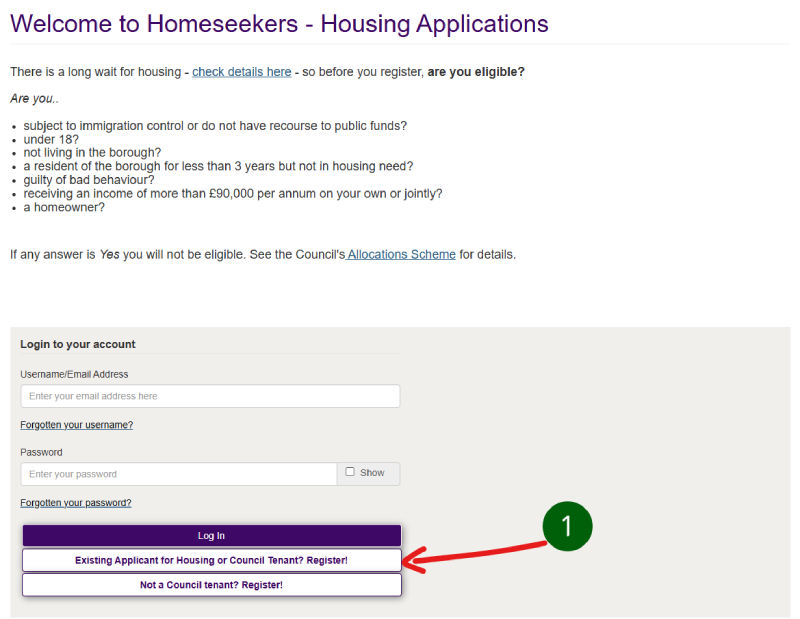
To register with your application reference number, (1) select the ‘Existing Applicant for Housing or Council Tenant? Register! option.
Step 2 and 3
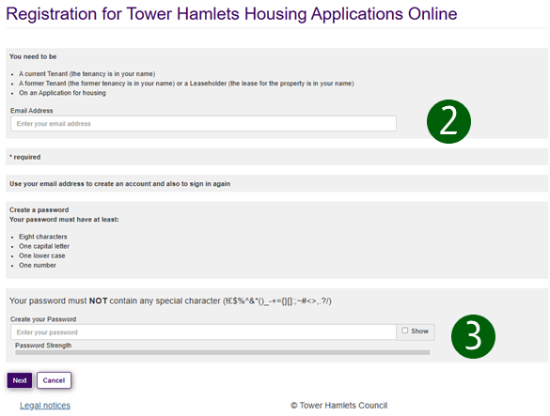
Enter your (2) email address and (3) create your password.
Be careful not to add any other characters such as spaces at the end.
Your password should be unique to you and not the same as any of your other passwords. This must not contain any special characters as shown. Best practice is to use three random words with a number in between each.
Select Next when you are done. You will then receive an email to confirm your registration.
Step 4
Your confirmation email will come from noreply@towerhamlets.gov.uk.
Please check your junk and spam folders if it does not arrive in your inbox within a few minutes.
Select the (4) ‘Verify me’ link.
This will open the Homeseekers portal for you to complete your registration.

Step 5 and 6
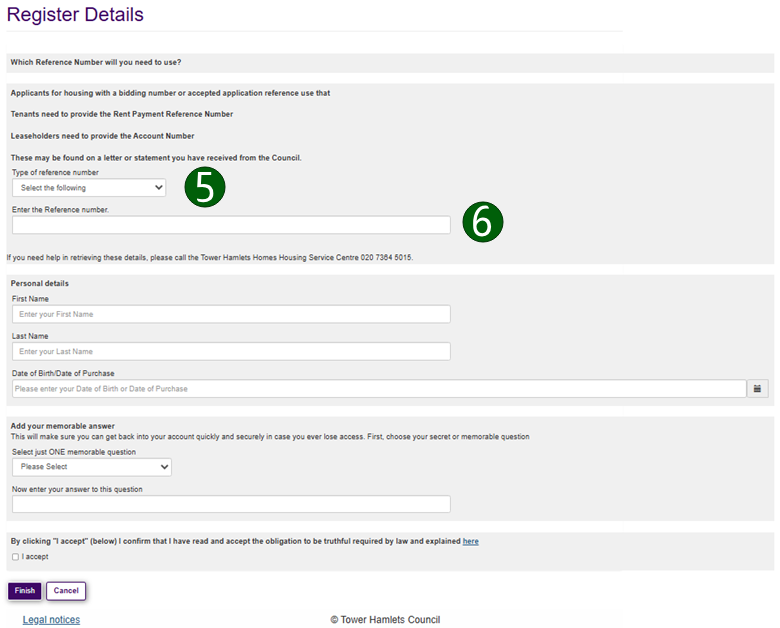
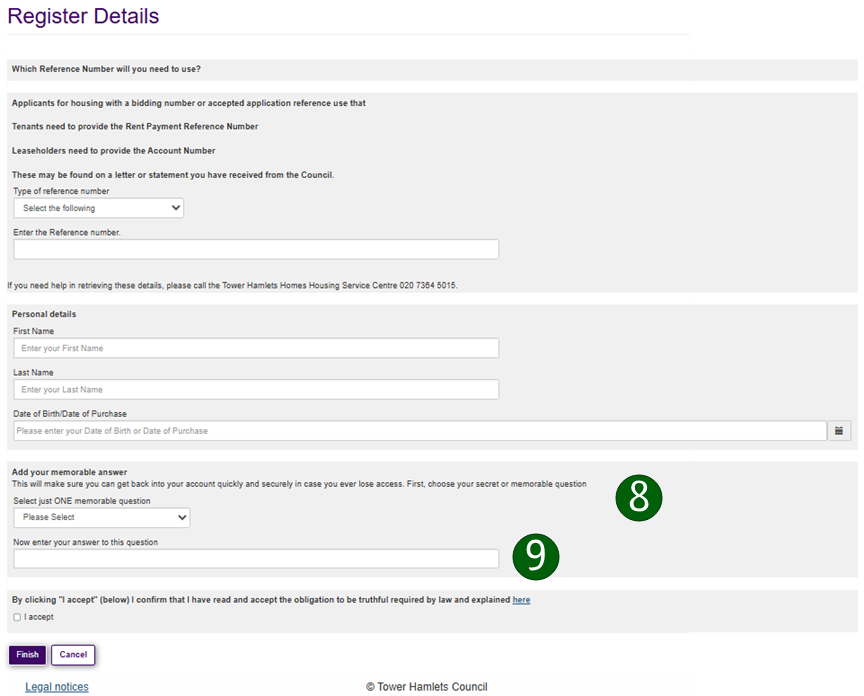
The first section is to enter your housing register application reference number. This is also known as your bidding number.
Select the down arrow to open the menu from the (5) Type of reference number dropdown menu and choose ‘Application Number’ from the list.
(6) Enter your application (bidding) reference number in the following box.
Step 7
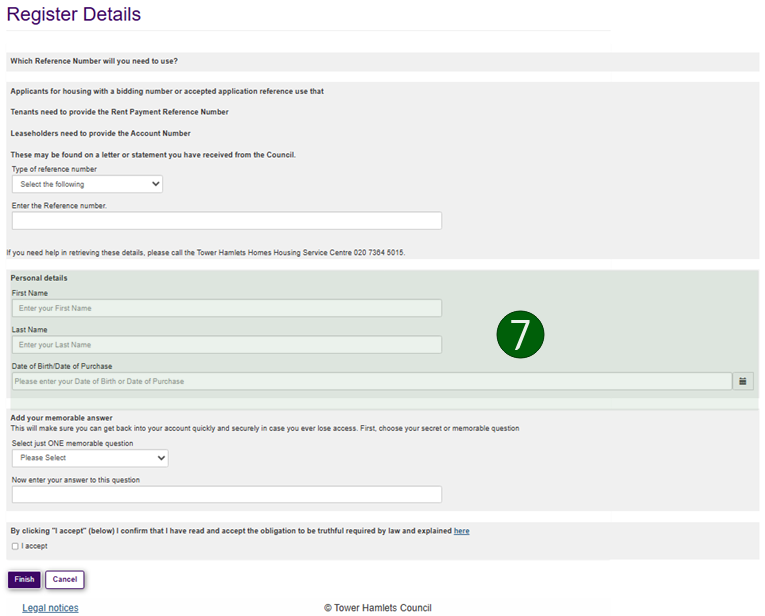
Enter your personal details.
These MUST exactly match those on your housing application otherwise your registration will fail.
- (7) Enter your
- First name
- Last name
- Date of birth
Step 8 and 9
Lastly, choose a memorable question and answer to help you reset your password if you forget it.
Select the (8) dropdown menu to choose a memorable question.
- What is your favourite colour?
- What is your favourite sports team?
- What is your favourite television show?
- What is your favourite animal?
(9) Enter your memorable answer in the following box.
Step 10
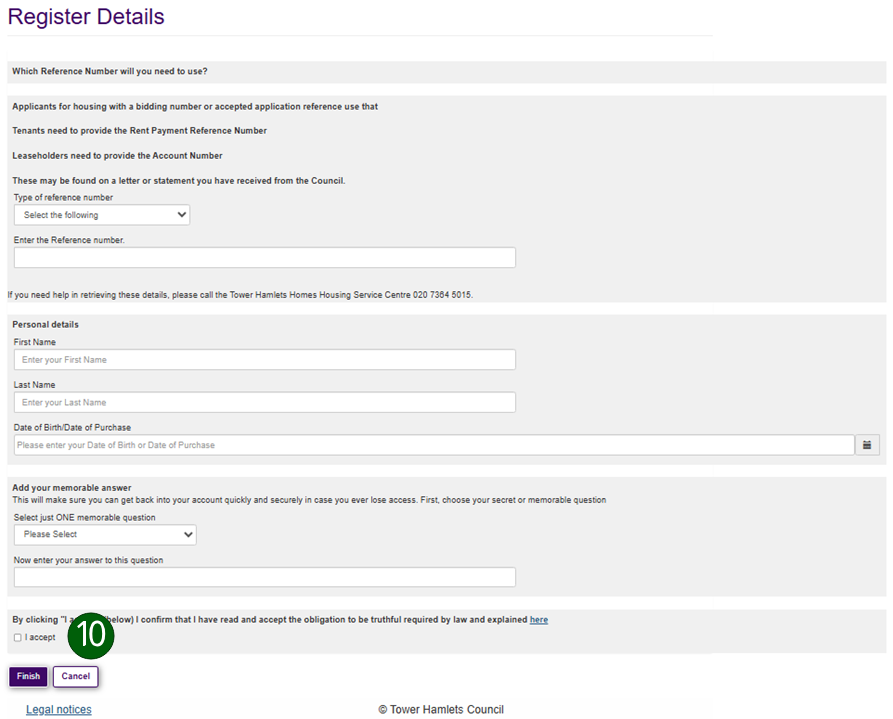
The final steps are to accept the obligation to be truthful and submit your registration.
You should open the link and read the obligation to be truthful before selecting the 'I accept' checkbox.
You will not be able to complete your registration until you have confirmed that you accept this obligation.
Select accept.
Select the ‘Finish’ option to complete your registration.
Step 11
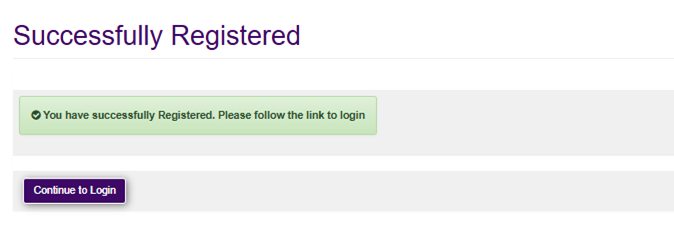
If your details are correct and match the application number you entered you will see the following screen.
Once you have logged in, you will be able to view your application.
You can bid in this system once we have moved bidding from the old system.
If your details are incorrect
If your details are incorrect or do not match the application number you entered you will see the following error message.

Please check the details to make sure you have not made any errors and try again.
If that does not work, please return to the main login page on the Homeseekers - Housing Applications online portal and use the ‘Not a Council Tenant? Register!’ option.
Make sure to tick the box confirming you already have an application and enter your application or bidding number when asked.